
Here we briefly described our intends and why we think Jupyter Book is great to achieve this.
This book already shows how Jupyter Book can be used to create a clear report that combines text and multimedia content. To get an even better idea of what is possible, see this video.
Note for students
Your bachelor or master thesis is more than a static PDF you submit. Maybe you made an enzyme where its 3D structure is key, built a 3D model, developed code, worked on an optimization problem, or designed something interactive. Yet in the end, all of that often gets flattened into a 2D document that can’t fully show what you’ve created. What if your reader could actually interact with your work?
Explore your 3D models from different angles
Run your code or simulations
Adjust variables and see how results change
Watch embedded videos or demos (e.g. YouTube clips) Even better: what if you could share that same interactive version when applying for jobs? At TU Delft, we’re working on a workflow that lets you do exactly this - without extra effort.
We created a workflow that produces both a static, high-quality pdf and an interactive website for your thesis, without additional work! The TUD guide to open publishing with JupyterBook provides a starter kit where your thesis is a website made in less than 5 minutes and automatically a high-quality pdf is created for the committee.
Note for supervisors
What if the theses you supervise(d) didn’t just live as separate PDFs, but could be brought together into a coherent, evolving portfolio? What if a thesis could be easily adapted into a scientific article—where data analysis, code, and results remain fully reproducible and extendable within the same workflow? And what if you could gain clearer insight into your student’s progress, with narrative, code, models, and results all integrated in a single, accessible environment?
At TU Delft, we are developing a workflow that makes this possible—without adding extra workload. Using JupyterBook, a thesis can simultaneously be:
a static, high-quality PDF for formal assessment
an interactive website where code, data, and multimedia are directly accessible
a version-controlled project, enabling structured feedback, transparent progress tracking, and easier supervision over time
This approach also enables reuse: figures, text, and analysis can be efficiently carried across projects, publications, or future student work.
For your students, the TU Delft JupyterBook guide provides a starter kit that allows them to set up a thesis website in minutes, while automatically generating a high-quality PDF for the committee.
Why Jupyter Book?
Our idea is to engage young academics, starting from bachelors’ students, in open science - being transparent about their data and data-processing and sharing their work openly with others. Moreover, we believe that a thesis and the work that was done is much more than a 2D pdf: 3D models, interactive code, and multimedia content can be part of the work done - where the 2D pdf is meant for the archive. Jupyter Book is a great tool for this as it allows to write, code, and publish scientific articles, theses, and textbooks in a single environment. Using the Abstract Syntax Tree (AST), conversion from different format is possible and does not require additional effort.
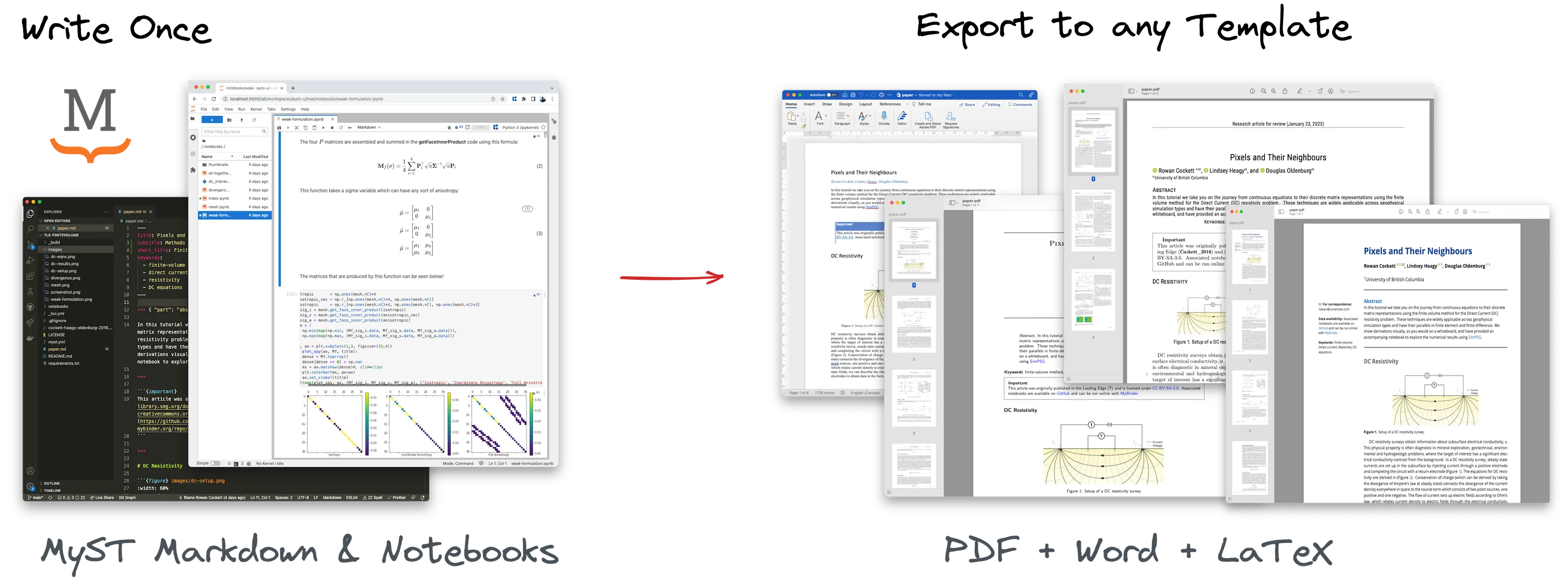
Your jupyterBook project can be converted to a pdf, docx and website.
With Jupyter Book, you can process data and fully show the analysis online whilst hiding the code in a pdf version like this:
Source
x = 2
y = 5

print(x+y)
It allows you to do calculations where the output value is used in the text - like using a variable in a sentence:
Source
input_x = 2.034
output_y = input_x**2
Where we use Unexecuted inline expression for: output_y in the text to show the output value. Note that the output is visible on the website, but if you inspect the pdf version, you will see that the code is hidden.
Source
import numpy as np
import matplotlib.pyplot as plt
import ipywidgets as widgets
from ipywidgets import interact

x = np.linspace(0, 20, 7)
y = 2.03 * x + np.random.normal(0, 3, len(x))

def update(a):

    plt.clf()
    fig, (ax1,ax2) = plt.subplots(1,2)
    ax1.plot(x, y, 'k.')
    ax1.plot(x, a*x, 'r--')
    ax1.set_ylabel('y')
    ax2.plot(x, (y-a*x)**2, 'k.')
    ax2.set_ylabel('Residual')
    plt.show()

interact(update, a=widgets.FloatSlider(min=-2, max=3, step=0.1, value=1))What we have done
We created a starterkit which allows you to create a Jupyter Book project with a pdf version that is automatically generated with every update. With only a few steps, you can have your own Jupyter Book project up and running online - or if you prefer only locally or behind SSO login.
We created two templates, one based on LaTeX and one based on Typst. These templates can be downloaded and tweaked to meet your preferences, but already look good out of the box.
We created a manual and instruction videos that help you understand what is possible, how to use the starterkit and how to easily edit your content.
We tested our workflow with multiple users and got feedback on the user-friendliness and the design of the templates.
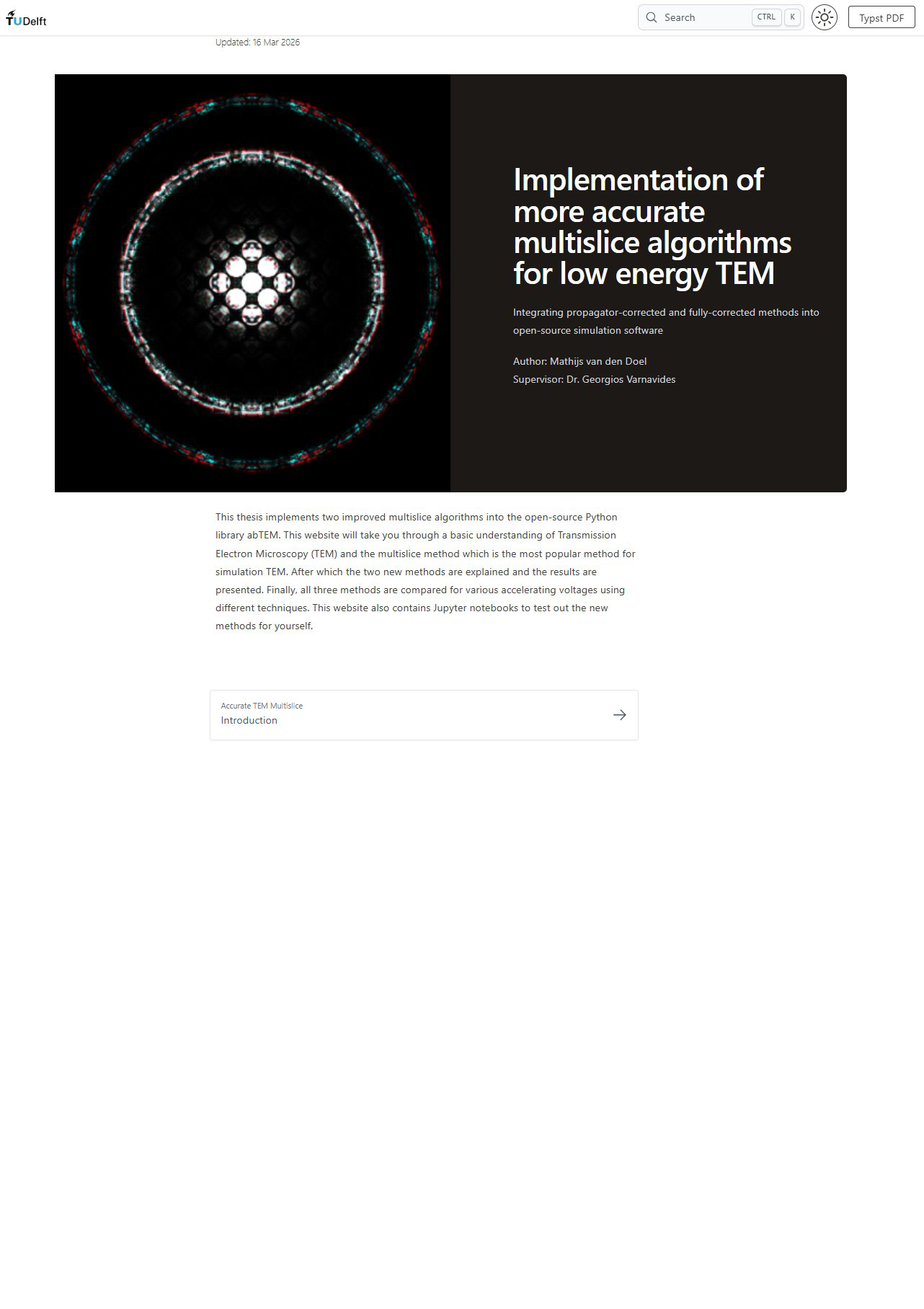
(a)The landing page of the website.
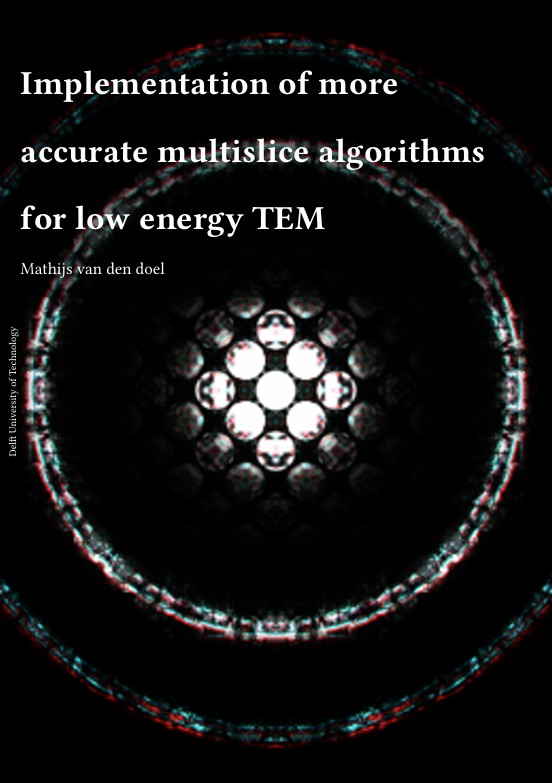
(b)The cover page of the pdf version.
Figure 2:Converting the website landing page to a pdf cover page
Open Science
Jupyter Book can boost open science because virtually no additional steps are required to make the manuscript and underlying data available. The students are transparent on their coding and data-processing as these are visible in the web version but hidden in the pdf. It allows for a reproducible way of doing science.
Moreover, Jupyter Book allows for a more modular way of doing science: the various projects can be combined and tentative results can be made available online easily. And by introducing early careers (students) to open publication, we prepare the next generation to adopt it seamlessly.
What to consider
There are many considerations and decisions related to your work and for instance data storage and confidentiallity. If you want to make a public website, or use this workflow anyway, check the code of conduct, sit with your supervisor and agree on the decisions.